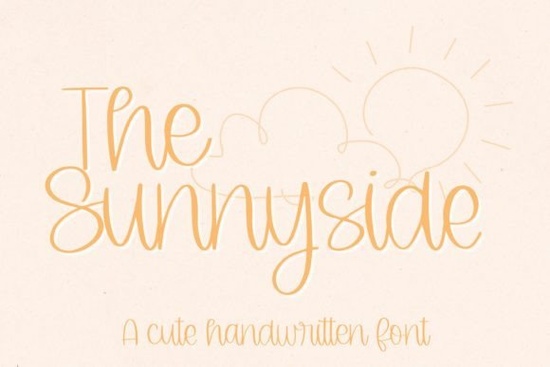
If you're looking for a friendly, hand-drawn script font that works well for greeting cards, Cricut projects, or small business branding The Sunnyside Font is a thoughtful choice. It’s not overly decorative or hard to read, and it avoids the stiff formality of many calligraphy fonts. Instead, it feels relaxed and approachable like something a talented friend might write by hand. That makes it especially useful if you’re designing for real people (not just design trends), whether you're making baby shower invites, printable wall art, or custom t-shirt quotes.
What kind of projects does The Sunnyside Font work best for?
Because it’s designed with subtle variation in stroke weight and gentle curves, The Sunnyside Font holds up well at medium to large sizes think 36–120pt on printed cards or SVG cut files. It’s less ideal for tiny text (like fine print or footnotes), but shines in contexts where warmth and personality matter more than precision.
- Greeting cards and stationery: Works beautifully for “Happy Birthday,” “Thank You,” or “Just Because” phrases.
- Cricut and Silhouette projects: Comes with clean vector outlines and spacing optimized for cutting no jagged edges or overlapping letters when converted to SVG.
- Print-on-demand products: Looks natural on mugs, tote bags, and framed prints without needing heavy shadow or outline effects.
- Small business branding: Great for café menus, boutique labels, or handmade soap tags especially if your brand voice leans cozy, nostalgic, or gently playful.
How does it compare to other popular script fonts?
Unlike some ultra-thin or highly connected scripts, The Sunnyside Font keeps letters slightly spaced and legible even when used at smaller display sizes. If you’ve tried Reaches Font and found it too delicate for your cutting machine, or tested Twenty Night Font and wished for something softer and rounder, The Sunnyside Font sits comfortably in the middle: expressive but dependable.
It also shares a similar friendly energy with Coffee Font Extras and Breakfast Font, though those lean more into thematic charm (coffee cups, pancakes, etc.). The Sunnyside Font stays versatile no built-in icons or seasonal motifs so it adapts across holidays, seasons, and product lines without feeling dated.
Is it compatible with my tools?
Yes it’s delivered as a standard OTF file, which works in Cricut Design Space (via system font upload), Silhouette Studio, Canva (with desktop app or uploaded font), Adobe Illustrator, and most major design apps. No extra plugins or converters needed. And because it’s crafted with crafters in mind, the lowercase ‘g’, ‘y’, and ‘j’ have open descenders meaning they cut cleanly on vinyl or cardstock without fragile loops snapping off.
For Cricut users: You won’t need to ungroup or manually adjust spacing before cutting. Letters flow naturally, and kerning pairs (like “To”, “We”, or “Love”) are already fine-tuned to avoid awkward gaps.
Where can I see real examples?
You’ll find user-submitted mockups and project photos on the product page including layered SVG files, PNG overlays, and printable PDF bundles. Many buyers use it alongside simple sans-serif pairings (like Montserrat or Poppins) for contrast: The Sunnyside Font for headlines or names, and a clean secondary font for details like dates, addresses, or pricing.
For inspiration, check out how others use script fonts in real-world settings: The Sunnyside Font appears often in wedding signage collections, teacher appreciation kits, and mom-owned shop branding proof it resonates beyond just “cute” aesthetics.
A quick checklist before downloading
- ✅ You’re using it for personal or commercial projects (the license covers both).
- ✅ You’ll be working mostly at 24pt or larger especially for physical crafts.
- ✅ You prefer readability over extreme flourish (e.g., no swashes or alternate characters included).
- ✅ You want something that feels handmade but doesn’t require manual lettering skills.
If those match your needs, The Sunnyside Font is worth trying next time you start a new layout. Keep a copy in your “go-to script” folder and test it with one low-stakes project first (like a thank-you note or Instagram story graphic) to get comfortable with its rhythm and spacing.
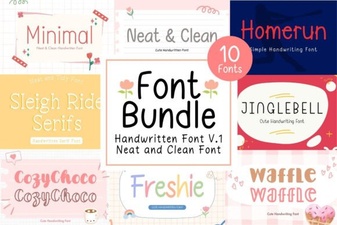 Neat & Clean Handwritten Fonts for Creative Projects
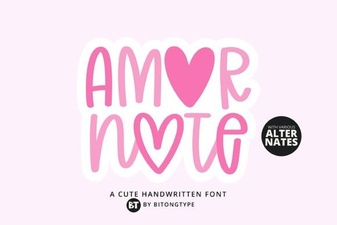 Amor Note Font: Elegant & Playful Design Inspiration
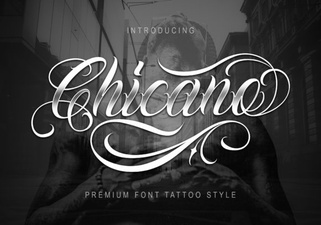 Chicano Font: Bold Design & Creative Typography
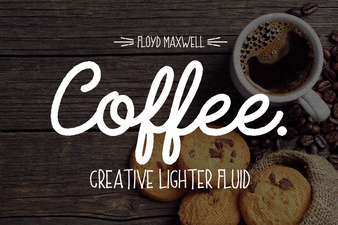 Coffee & Extras Font: Creative Design Toolkit
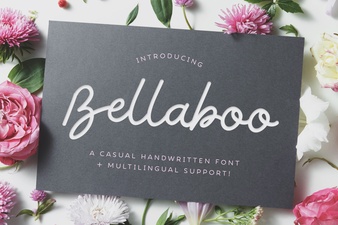 Bellaboo Font: Playful & Versatile Design Tool
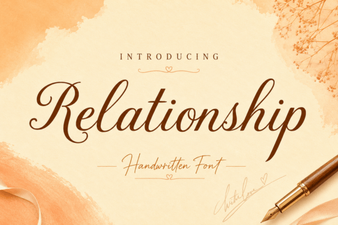 Relationship Fonts: Creative Typography for Connection