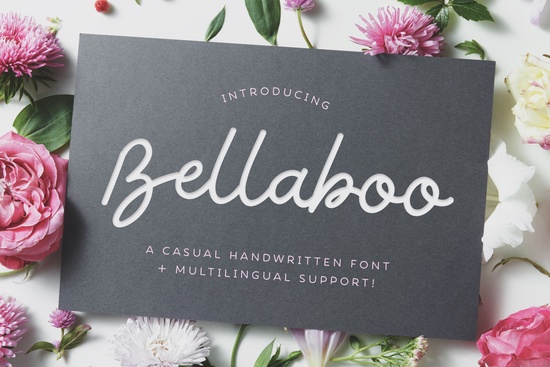
If you're looking for a friendly, authentic handwritten script font that works well across print and digital projects, the Bellaboo Font is a solid choice. It’s designed to mimic natural pen-on-paper movement slight variations in stroke weight, gentle curves, and relaxed spacing give it warmth without feeling overly casual. Whether you’re designing wedding stationery, small-batch t-shirt graphics, or a cozy blog header, Bellaboo lands somewhere between polished and personal. It’s not fussy, and it doesn’t try too hard which is exactly why it fits so many real-world uses.
When does Bellaboo work best?
Bellaboo shines where personality matters more than precision. Think of projects where you want your audience to feel like they’re reading something made just for them not generated by an algorithm or pulled from a template. It’s especially effective for:
- Wedding invitations and day-of signage (menus, place cards, welcome signs)
- Small business branding like a local bakery logo or handmade soap label
- Blog headers or social media quote graphics that need soft, approachable energy
- Print-on-demand designs where readability and charm both matter (e.g., mugs, tote bags, greeting cards)
Because it’s a single-style script (not a full family with bold/italic variants), it pairs cleanly with simple sans-serifs like Montserrat or Lato for contrast. You won’t need to overthink hierarchy it does the heavy lifting on tone.
How does it compare to other popular script fonts?
Not all handwritten fonts behave the same way. Some are tightly spaced and formal; others are bouncy and playful. Bellaboo sits comfortably in the middle: legible at medium sizes, graceful but not delicate, and versatile enough to avoid feeling “trendy” too quickly. If you’ve used Relationship Font, you’ll notice Bellaboo has slightly more open letterforms and gentler connections making it easier to read in longer phrases. Compared to Amor Note, Bellaboo feels less ornate and more grounded, which helps when you need clarity alongside charm.
For everyday use especially if you’re balancing design time with running a small shop or managing client revisions Bellaboo avoids the extra steps some scripts require (like manual kerning adjustments or ligature toggling). It comes with standard OpenType features, including alternate characters and swashes, but you can use the basic version straight out of the box and still get great results.
What kind of files do you get and how easy is it to install?
You’ll receive OTF and TTF files, plus a PDF guide showing how to access alternates in apps like Adobe Illustrator, Canva, and Affinity Designer. Installation is straightforward on Mac or Windows just double-click and hit “Install.” In Canva, upload it once to your brand kit and it stays available across all your designs. No subscription or cloud sync needed.
It’s also compatible with cutting machines like Cricut and Silhouette so if you’re making vinyl decals, iron-on transfers, or hand-lettered signs, Bellaboo cuts cleanly without jagged edges or unexpected breaks.
Where else can you find similar styles?
If you like Bellaboo but want options for different moods or applications, check out Coffee Font Extras for warm, caffeinated vibes or Reaches Font if you prefer something with more rhythmic flow and subtle bounce. All of these live in the same script fonts category, so browsing one often leads naturally to the others.
And while Bellaboo stands out for its balance, it’s worth knowing about bellaboo font, amor note font, and coffee font as alternatives depending on your project’s voice.
A quick practical tip before you download
Try typing your most common phrase first like your shop name or “Thank You” in Bellaboo at 36–48pt size. Then step back and ask: Does it look like something a real person would write? Does it hold up when scaled down to 24pt on a product mockup? If yes, you’re likely set. If letters feel cramped or certain combos (like “ll” or “oo”) visually clash, test the included alternates before assuming it’s not the right fit.
Before using Bellaboo in a final project:
- Check spacing in your actual design app not just the preview
- Test print or mockup at intended size (especially for apparel or packaging)
- Verify licensing covers your use case (personal, commercial, or POD Bellaboo includes full commercial rights)
- Save a backup copy of the font file outside your design software
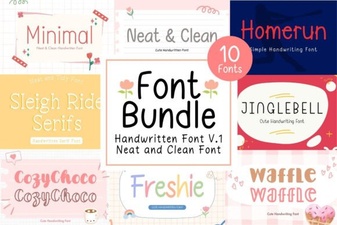 Neat & Clean Handwritten Fonts for Creative Projects
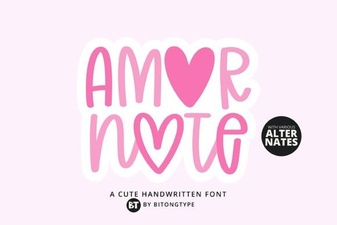 Amor Note Font: Elegant & Playful Design Inspiration
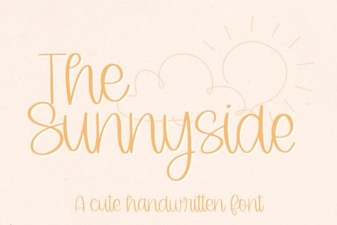 The Sunnyside Font: Playful & Versatile Design
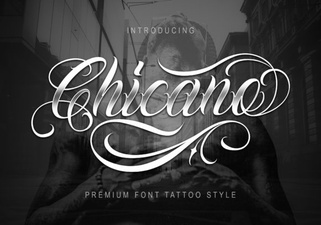 Chicano Font: Bold Design & Creative Typography
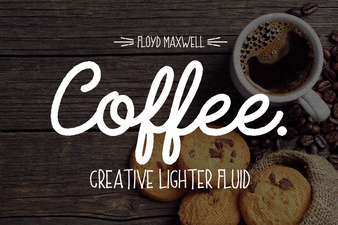 Coffee & Extras Font: Creative Design Toolkit
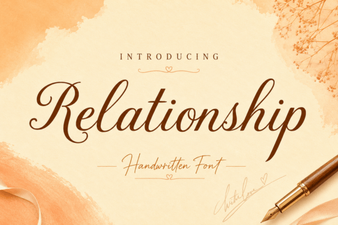 Relationship Fonts: Creative Typography for Connection