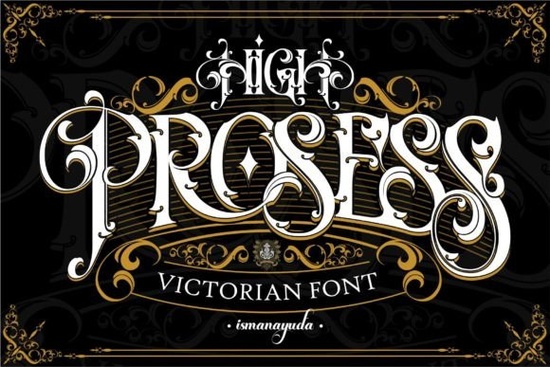
If you're looking for a bold, thick blackletter font that stands out without feeling overdone, High Prosess Font is worth your attention. It’s not overly ornate or hard to read at smaller sizes it strikes a practical balance between tradition and modern usability. Whether you’re designing t-shirts for a small batch drop, crafting vinyl decals for local shops, or building branding assets for a new Etsy shop, this font delivers presence without sacrificing clarity.
What kind of projects does High Prosess work well for?
Blackletter fonts like High Prosess Font shine where visual impact matters most: apparel prints, event signage, poster art, logo lockups (especially for breweries, tattoo studios, or vintage-inspired brands), and even social media banners. Because it’s thick and confident not delicate or script-like it holds up well in screen printing, heat transfer, and Cricut/Silhouette cutting files.
It pairs especially well with minimalist layouts. Try setting a short phrase like “Est. 1992” or “Handcrafted” in High Prosess, then balance it with clean sans-serif body text. That contrast gives your design structure and personality no extra effects needed.
How does it compare to other blackletter fonts on Creative Fabrica?
Unlike some blackletter fonts that lean heavily into historical calligraphy or Gothic extremes, High Prosess simplifies the letterforms just enough to feel contemporary. You’ll notice consistent stroke weight, open counters (the enclosed spaces inside letters like ‘e’ or ‘o’), and sturdy terminals details that help it render cleanly across devices and print methods.
For example, if you’ve tried Brother Gothic, you’ll recognize the shared blackletter roots but High Prosess feels bolder and more grounded. Where Brother Gothic has subtle tapering and fine hairlines, High Prosess leans into uniform thickness and compact proportions. That makes it easier to scale down for tags or small labels without losing legibility.
Is it beginner-friendly for crafters and small business owners?
Yes especially if you’re using design tools like Canva, Cricut Design Space, or Silhouette Studio. The font includes standard Latin characters (A–Z, a–z, 0–9, common punctuation), so no special encoding or OpenType features are required to get started. No need to hunt for alternate glyphs unless you want them.
You’ll also find it listed under blackletter fonts on Creative Fabrica, which helps when browsing alongside similar styles like Brother Gothic Font or Iron Blackletter Font. That context helps you compare options side-by-side based on your real needs: weight, spacing, x-height, and file compatibility.
What should you test before buying?
Before committing, check how the font behaves in your actual workflow:
- Open a mockup file in your preferred software and type your most common phrase (e.g., a shop name or tagline) at 48pt and 24pt does it stay crisp?
- If you cut vinyl or heat-transfer material, try converting the text to outlines or paths first. Some blackletter fonts have tight inner curves that can cause cutting errors; High Prosess handles those well, but always verify with a test cut.
- Print a small sample on your home printer look for ink bleed or uneven fill, especially in dense letters like ‘m’ or ‘w’.
Also keep an eye on licensing. This font is licensed for both personal and commercial use including POD platforms like Redbubble, Teespring, and Printful as long as you’re embedding it in original designs (not reselling the font file itself). Always double-check the license details on the product page before downloading.
Who tends to use High Prosess most successfully?
We see it used often by:
- Small-batch apparel makers who want strong, recognizable typography without hiring a designer
- Tattoo artists adding shop names or mottoes to flash sheets
- Local coffee roasters and breweries using it for bag labels and tap handles
- Etsy sellers creating printable wall art or digital planners with a handcrafted edge
- Teachers and homeschoolers making themed classroom posters or award certificates
It’s not a one-size-fits-all solution but if your work benefits from authority, tradition, and a little visual weight, High Prosess fits quietly into your toolkit without demanding attention away from your message.
Next step: Download the font, open it in your design app, and type three words that represent your brand or project. Try them at three different sizes then ask yourself: Does it still feel clear? Does it match the tone I’m aiming for? If yes, you’ve likely found a reliable option.
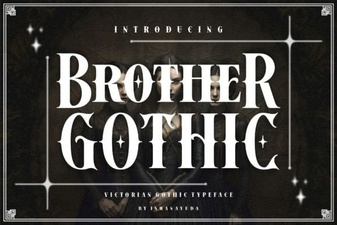 Brother Gothic Font: Bold Design Ideas
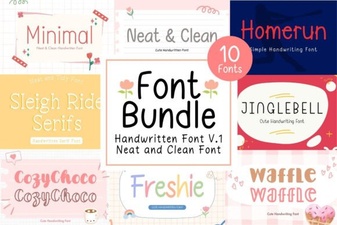 Neat & Clean Handwritten Fonts for Creative Projects
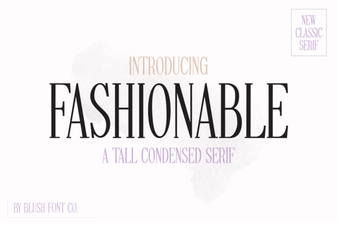 Stylish Fonts for Creative Design Projects
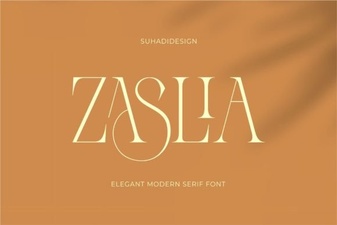 Zaslia Font: Elegant & Versatile Design Inspiration
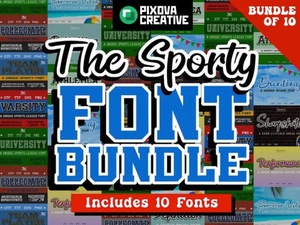 Sport Bundle Font: Creative Design & Project Ideas
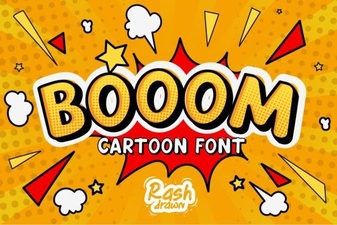 Booom Font: Bold, Playful Typography for Creative Projects