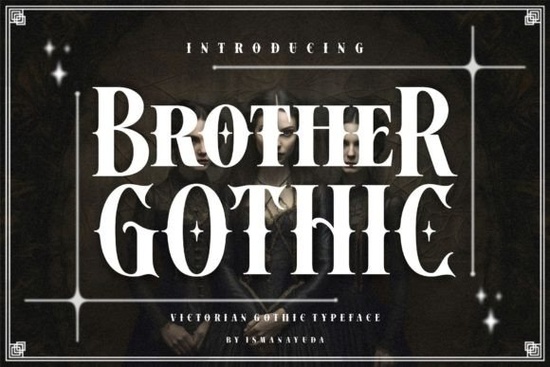
If you're looking for a bold, distinctive typeface that bridges vintage elegance and modern edge like something you might see on a craft beer label, a tattoo flash sheet, or a boutique shop sign the Brother Gothic Font fits naturally into that space. It’s not just another blackletter font; it’s a thoughtfully reimagined Victorian-inspired design with sharpened angles, tightened spacing, and subtle biker-infused attitude. That balance makes it more flexible than traditional gothic fonts especially if you’ve ever tried using classic blackletter for a clean logo or apparel print and found it too dense or hard to read at smaller sizes.
What kind of projects does Brother Gothic work well for?
This font shines where personality matters but legibility can’t be sacrificed. Think: custom t-shirt designs, enamel pin lettering, wedding invitations with a moody twist, or even small-batch candle labels aiming for vintage-meets-rebellious. Because it retains strong contrast and open counters (the enclosed spaces inside letters like “o” or “e”), it holds up well in both digital mockups and physical prints even at 16–24pt sizes on product tags or packaging.
It’s also a solid choice for designers who want to avoid overused script or sans-serif options without drifting into overly ornate territory. Unlike some blackletter fonts that lean heavily into medieval or ecclesiastical motifs, Brother Gothic keeps its structure tight and grounded. That helps it pair cleanly with simpler sans-serifs (like Montserrat or Poppins) for headings + body text combos or stand alone as a single-statement logo.
How is it different from other blackletter fonts?
Most blackletter fonts fall into one of two camps: highly formal (think illuminated manuscripts or old newspaper mastheads) or aggressively decorative (with heavy swashes and dramatic flourishes). Brother Gothic sits between them. Its stems are uniform, terminals are squared not tapered and the lowercase “a”, “g”, and “s” have been simplified for better rhythm and flow. You’ll notice fewer competing visual weights across the character set, which helps maintain consistency in longer phrases or stacked layouts.
If you’ve browsed our collection before, you may recognize this approach in other refined blackletter styles like those found in our curated selection of high-contrast blackletter fonts. But Brother Gothic stands out for its intentional restraint: no extra ligatures, no alternate glyphs by default, and no need to manually adjust kerning for most common word pairings.
Who’s using it right now and why?
We’ve seen crafters use it for heat-transfer vinyl projects on denim jackets, because the letterforms cut cleanly on vinyl plotters and don’t ghost when weeded. Print-on-demand sellers report strong performance on Etsy for gothic-themed greeting cards and quote posters especially around Halloween and Gothic Romance Month (October). Small businesses like independent barbershops and coffee roasters appreciate how it reads as “hand-drawn but professional,” helping them avoid generic fonts while still feeling approachable.
One designer told us they used it for a limited-run zine cover paired with a muted sepia palette and got three repeat orders from local bookstores just from that one layout. Another used it exclusively for Instagram story templates targeting tattoo apprentices, citing its “instant tone-setting” quality.
Technical notes worth knowing
- Includes uppercase A–Z, numerals 0–9, and standard punctuation.
- OTF and TTF formats included works in Cricut Design Space, Silhouette Studio, Adobe apps, and Canva (via upload).
- No extra language support beyond basic Latin characters so best suited for English, Spanish, French, German, and similar Western European uses.
- Licensed for commercial use, including merch, logos, and client work no attribution required.
If you’re comparing options, you might also like Brother Gothic Font, or explore how it stacks up against similarly structured blackletter fonts like High Prosess Font.
Quick tip before downloading: Try typing your intended phrase in all caps first even with blackletter fonts, uppercase-only settings often deliver the strongest impact and clearest readability. Then test it at 75% size in your final layout to confirm spacing holds up. If letters feel cramped, add 5–10 units of tracking (letter-spacing) rather than scaling down further.
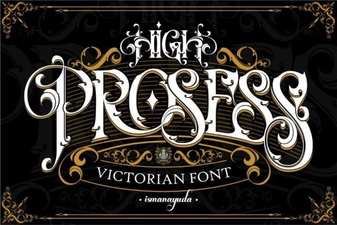 High Process Font: Creative Design & Typography Ideas
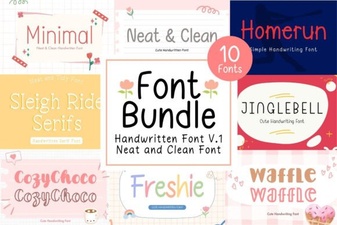 Neat & Clean Handwritten Fonts for Creative Projects
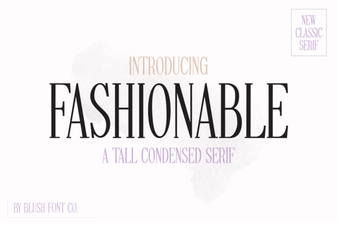 Stylish Fonts for Creative Design Projects
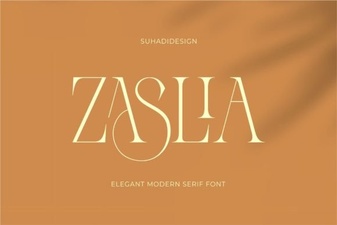 Zaslia Font: Elegant & Versatile Design Inspiration
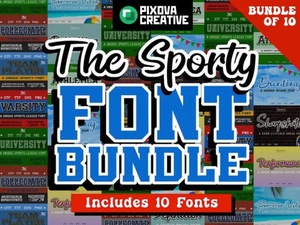 Sport Bundle Font: Creative Design & Project Ideas
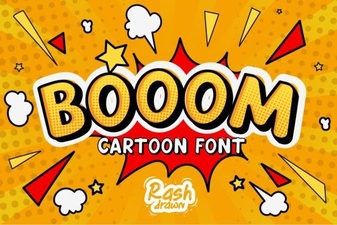 Booom Font: Bold, Playful Typography for Creative Projects